One of the more frustrating parts of preparing crypto taxes is discovering that a complete exchange statement does not necessarily mean a complete transaction history.
An exchange might provide every trade made on its platform, including dates, quantities, trading pairs and fees. Yet when those records go into tax software, a sale appears without a purchase price, the balance does not match, or the calculation flags an asset that supposedly never existed in the account.
The problem often lies outside the exchange itself. The original purchase may have happened on another platform. Crypto might have moved through a personal wallet before returning to an exchange for sale. Rewards could appear in a separate report, while an older account holds transactions from several years ago.
Each record may be accurate on its own. The difficulty comes from putting them together.
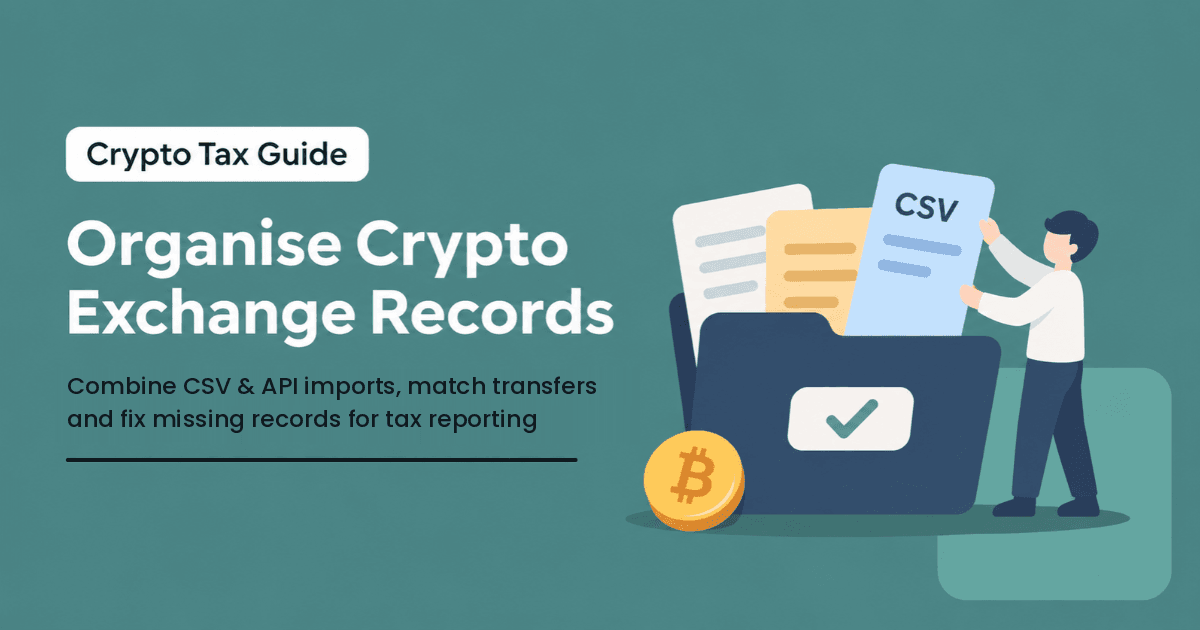
The challenge is bringing records from separate exchanges and wallets into one transaction history. That means checking what each source contains, matching transfers between accounts and finding gaps before they affect the calculation. This guide walks through that process using exchange CSV files, API imports and wallet records.
Key Takeaways
- A trade history from one exchange may be complete for that account but still lack purchases made elsewhere.
- Collect purchases, disposals, conversions, rewards, fees and transfer records. Older transactions can still affect later calculations.
- Keep the original CSV downloads untouched. Make separate copies if you need to inspect or reconcile their contents.
- Check what an API actually retrieves before assuming an account's entire history has been imported.
- Match withdrawals with deposits across wallets and exchanges, taking time zones and network fees into account.
- Review unexpected balances and duplicate entries before treating your tax report as complete.
No credit card required
What Crypto Tax Records Should You Keep?
Crypto exchanges maintain transaction histories for account activity, but those histories do not always contain everything needed for a tax calculation.
Consider an investor who bought Bitcoin on one exchange, transferred it to a hardware wallet and sold a portion through another exchange two years later. The selling platform knows the proceeds and disposal date. It may not know when the Bitcoin was acquired or how much the investor originally paid.
When combining records from different platforms, start with the information needed to match transactions. Check the timestamp, asset, quantity, transaction type, source account, fees and transaction reference.
For example, a withdrawal from Exchange A and a deposit into Exchange B may belong to the same transfer. Compare their dates, quantities and transaction hashes where available. A difference in the amount received may come from a network fee.
Trading records need similar checks. An exchange may report the trade price in one currency while another uses a different trading pair. Keep the original values and note which currency each platform used.
The aim is to identify which records belong together and which transactions are still missing from the combined history.
A balance statement shows what remains at a point in time. The underlying transactions explain how that balance developed. The distinction becomes more important when activity is spread across several platforms.
For an overview of how consolidated histories support holdings and performance, read cryptact's Crypto Portfolio Management guide.
Collecting Crypto Exchange Transaction History
Start by listing every exchange and wallet you used, including accounts you no longer visit. An inactive exchange may hold the purchase that explains a sale recorded years later.
Identify the accounts and transaction categories
Check the different sections of each account before downloading reports. Spot trading, conversions, rewards, deposits and withdrawals may have separate export options. Certain lending or derivatives products can also keep their own histories.
For example, an exchange's spot trading CSV may contain every buy and sell but exclude distributions from its Earn service. Downloading the spot file twice will not recover the reward records. You need the report for that activity.
Look beyond the current reporting period
An investor who bought ETH in 2023 and sold it in 2026 may need both records to explain the disposal. A 2026 trading export alone cannot show what was paid for the earlier purchase.
Some exchanges allow only a limited number of months per export. Download separate periods where necessary and check that they connect without a gap. If a platform has closed, look for older downloads, trade confirmations and any previously prepared transaction reports.
Preserve the original exports
Leave CSV files as the exchange supplied them. Opening and resaving one in a spreadsheet application can alter timestamps, large identifiers or numerical values. These changes may interfere with an import even when the contents look normal on screen.
Use another copy for manual checking. cryptact's exchange file upload instructions also cover original files, import order and time-zone settings.
How to Organise CSV Files and Supporting Records
Before importing several CSV files, check whether they cover the same transactions or leave gaps between reporting periods. Two files from the same exchange may contain overlapping dates, while separate exports may be needed for trades, deposits and rewards.
Keep the original files unchanged and use a working sheet to track which periods and transaction types have been imported. This makes it easier to investigate an unexpected balance without repeatedly uploading the same history.
Track what you have collected
A simple reference sheet can show the exchange, account, transaction category, date range, filename and any unresolved problem. You will know, for instance, that the withdrawal file is complete but the rewards history for one account is still missing.
Compare timestamps and currencies
An exchange displaying local time may date a transfer differently from a wallet explorer using UTC. Check the actual timestamp and transaction reference before deciding that the withdrawal and deposit do not match.
Also retain the original currency or trading pair. Historical conversion information may be required later; today's rate cannot document the value of an earlier trade.
CSV Imports Versus API Connections: Which Should You Use?
CSV and API imports are different ways of getting transactions into one calculation history. Neither guarantees that every record from an exchange will be present.
When CSV files are useful
A downloaded file gives you a saved history for a defined period and transaction category. It can be particularly useful for old accounts or activity an exchange does not supply through an API.
The drawback is that you may need several files to cover one account. Check the time periods and product types before importing them. In cryptact, files belonging to the same exchange upload category should go in from oldest to newest. Importing the latest period first may prevent some older transactions from being accepted correctly.
When an API connection helps
For an active account, an API can reduce repeated downloading and bring available exchange activity into cryptact. The exchange still controls how far back its API can retrieve records and which transaction categories it exposes.
After synchronising, compare the earliest imported transaction and relevant categories with the exchange's own records. A connection that finishes successfully is not evidence that it retrieved all past trades.
See cryptact's API transaction history guide for the supported connection process. In cryptact, connecting an API does not automatically keep your transaction history up to date. You need to re-sync the connection regularly to retrieve new transactions.
Moving between files and API records
Using both methods may be necessary when a CSV contains older trades and the API handles recent activity. The point where the two histories meet needs checking.
When switching from exchange files to an API in cryptact, the import generally continues after the latest transaction timestamp already recorded from the files. A few transactions near the changeover may still overlap.
Switching the other way requires the user to remove the API connection before uploading the exchange files. Records previously imported through the API remain in the ledger, so a file covering the same dates can add duplicates.
Follow the CSV and API switching guide for the relevant account instead of deleting transactions based only on similar dates.
Reconciling Transfers Between Exchanges and Wallets
A withdrawal on one exchange and a deposit on another may be two records of the same movement. Without matching them, an incoming deposit can appear to be a new acquisition when it is simply crypto arriving from your own wallet.
Consider ETH bought on Exchange A and withdrawn to a personal wallet. Several months later, the holder sends some ETH to Exchange B. Each source has only part of the trail. Exchange A records the initial withdrawal, the wallet shows the on-chain movements, and Exchange B records the final deposit.
Start with the withdrawal and look for the corresponding receipt. Compare the coin, quantity, date, wallet addresses and transaction hash when available. Check network fees if the received amount differs from the amount sent.
For transfers inside a custodial exchange, a blockchain hash may not exist for each internal movement. Account statements and platform references may provide the connection instead.
It also matters who received the coins. A movement between accounts owned by the same person differs from a payment or gift to someone else. Do not classify deposits as purchases or withdrawals as sales simply because of their exchange labels. The reporting treatment of a transfer depends on the facts and applicable jurisdiction.
cryptact has an optional Import asset transfers (deposits/withdrawals) setting for displaying supported transfers alongside trades. Showing movements between your own accounts does not independently change overall P&L, though associated fees may affect the calculation. It helps with tracing; it does not supply a missing acquisition price.
Identifying Missing Transactions and Data Gaps
Once you have combined the files, compare the recorded holdings with the balances you can verify from your accounts. Unexplained differences may point to rewards, trades or fees that were never imported. Overlapping imports can also add transactions that should appear only once.
A different issue arises when the sale exists but the acquisition does not. The buying exchange might have closed, the purchase may fall outside an export period, or the cryptocurrency might have been received through another type of transaction.
For a closer look at missing acquisitions, see our supporting article, Missing Cost Basis in Crypto Records: Why It Happens and How to Fix It Before Tax Reporting. It covers how to recover old purchases and investigate incomplete acquisition histories. You can also follow cryptact's insufficient-position troubleshooting guide to identify affected transactions and review the available corrections.
How to Handle Duplicate and Invalid Transactions
If the same trade appears in two imports, compare the original source files, timestamps, quantities and transaction identifiers. Similar-looking trades are not always duplicates, particularly when an investor makes several orders close together.
In cryptact, an Insufficient position for sale warning means the available history does not show enough of an asset for a disposal. A missing acquisition is one possible cause. An incorrectly recorded or duplicated disposal can cause a similar problem.
cryptact excludes invalid transactions from P&L calculations. That makes it important to investigate warnings before relying on the final figures. Its insufficient-position guide recommends starting with the oldest affected entry, as one earlier issue may influence later transactions.
Preparing Organised Records for Tax Reporting
Once the imports and reconciliations are complete, check the resulting asset quantities against the exchange and wallet history. A difference may still point to an omitted transaction, fee or incorrect classification.
Keep purchases, swaps, rewards, payments and transfers between personal accounts distinguishable. The label supplied by an exchange does not always describe what happened well enough for reporting.
Review the reporting currency and calculation settings applicable to the user. Tax rules, cost basis methods and retention periods differ by jurisdiction; this article does not prescribe a country-specific method.
Save the consolidated history with the original exports, transaction references and notes explaining corrections. A reviewer should be able to trace an adjusted entry back to the evidence that supports it.
How cryptact Helps Organise Crypto Transaction History
cryptact brings records from supported exchanges and wallets into a consolidated history for holdings and P&L calculations.
Collect the histories, import supported files or APIs, then check the ledger against the original records.
For activity unavailable through a supported integration, cryptact provides custom transaction options. Any manual entry should reflect an actual event supported by the available history.
Before preparing reports, compare the calculated positions and P&L with the source records. The cryptact User Guide covers the import and review process in more detail.
Frequently Asked Questions
Do I need transaction histories from exchanges I no longer use?
Yes, if they contain activity relevant to current holdings or later disposals. An exchange you stopped using years ago may still be the only source of an original purchase record.
Can I combine CSV files with an API connection?
You can, but check the import transition carefully. Historical files may contain data the API cannot retrieve, while overlapping periods can create duplicates. Follow the relevant exchange and software instructions.
Why does a wallet transfer appear twice in my records?
The sending and receiving systems may both record the movement. Compare the transaction hash, quantity and accounts involved to establish whether the entries describe one transfer.
What if my report shows missing cost basis?
The transaction history may be missing an original purchase or another receipt. Check earlier exchange records or refer to cryptact's guide to resolving insufficient-position errors for troubleshooting steps.
Can cryptact organise transactions from several exchanges?
Yes, for supported sources. You still need to check the imported history for missing categories, incorrect entries and transfers that require reconciliation.
Conclusion
An exchange export may be accurate and still leave important gaps when combined with activity from other accounts. The solution starts with collecting the full history, preserving the source files and connecting the movements between exchanges and wallets.
Once the records explain the assets held and disposed of, checking the final calculations becomes easier. cryptact helps consolidate supported histories and investigate incomplete transactions before tax reporting.
Explore cryptact to bring exchange and wallet records into one place.
No credit card required
References
https://support.cryptact.com/hc/en-us/articles/360002476371-User-Guide-for-cryptact
https://www.cryptact.com/en/blog/crypto-portfolio-management